


Stick-On Cable Clips x10
- Keeps loose cords contained
- Great for home or vehicle
- Peel-and-stick installation
Short product description here


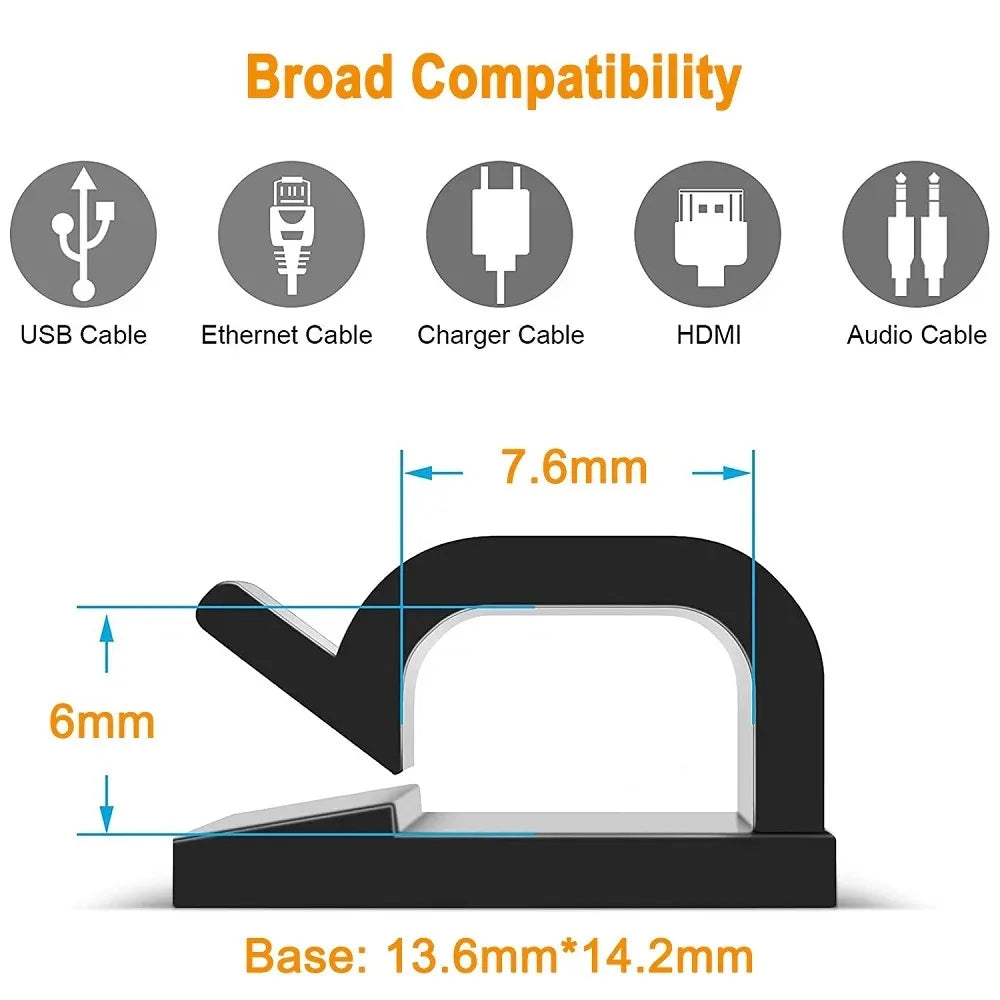

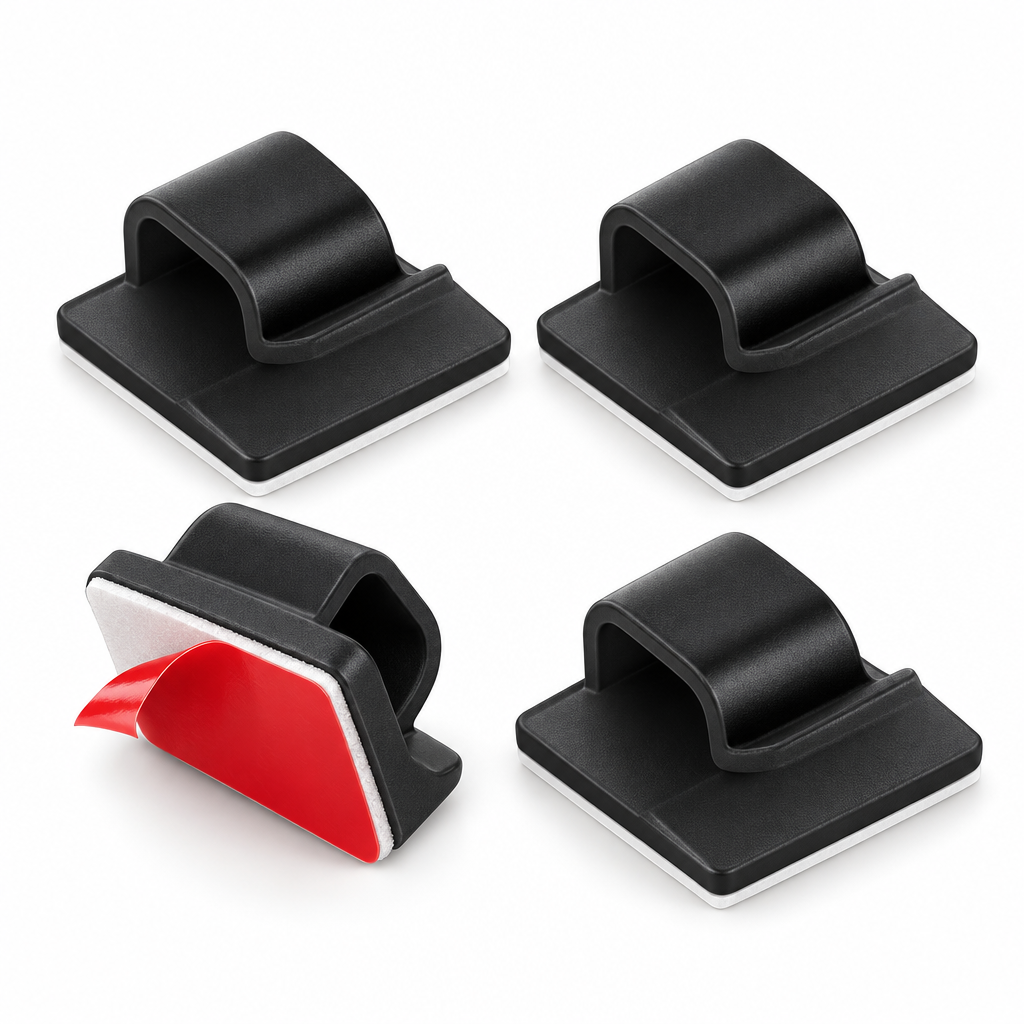
Choose the cable route that will make your space look and feel more organized.
Clean and dry the mounting area for a more reliable adhesive connection.
Peel the backing and press each clip firmly along your preferred cable path.
Gently place your cable into the clips for a neat, controlled route.
Enjoy easier access to cords and a visibly calmer, less cluttered environment.
Route loose cords where they belong and enjoy a cleaner, safer-looking space every day.
Route loose cords where they belong and enjoy a cleaner, safer-looking space every day.
Guide charging cords, electronics wires, and vehicle cables into a clean, easy-to-follow path.
Skip drills and hardware; simply peel, press, and start organizing your space.
Keep stray cables from draping across desks, dashboards, counters, and work areas.
Use them wherever cables need a little more order, from home offices to cars.
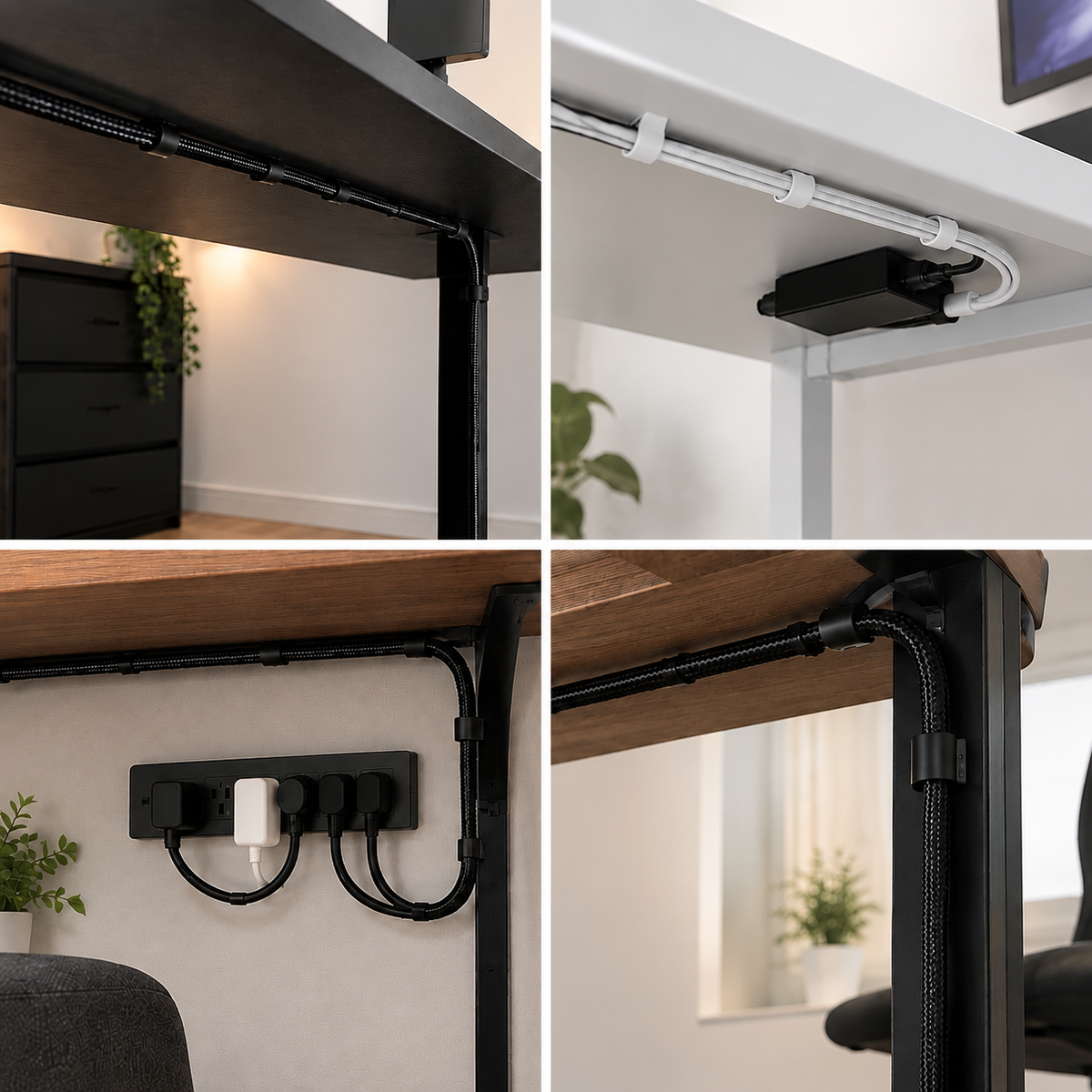
Simple cable control helps your space feel calmer, cleaner, and ready for whatever comes next.

A defined cable path reduces visual clutter and makes frequently used cords easier to find.
Clean, dry, smooth surfaces generally provide the best adhesive contact. Avoid dusty, oily, or uneven areas.
Place cables gently inside the clip without stretching, pinching, or forcing them into position.
Yes, use multiple clips to create a route that follows the edge of your desk, console, or wall.

Stick-On Cable Clips
| Loose Cables
| |
|---|---|---|
|
Tool-free placement
| ||
|
Dedicated cable routing
| ||
|
Cleaner-looking setup
| ||
|
Easy cord access
| ||
|
Organized cable paths
|

Having an office with organized cables increases productivity and the desire to work.
Shows how a simple routing upgrade can make spaces feel more organized.
Highlights the visual difference that a cleaner cable layout can create.
* Based on internal studies and customer feedback surveys.
Route a charging cord beside the console to help keep it from sliding around.
Use a clip near your bedside to give your phone charger a consistent home.
Create a dedicated cable route so your work surface looks more focused and less busy.
Place clips along the back edge of a desk to keep charging cables easy to reach.
Stick, route, and enjoy a cleaner setup.

Questions, Answered
Find answers to common questions about our products, shipping, returns, and more.
Each clip uses a self-adhesive backing. Apply it to a clean, dry, smooth surface and press firmly.
No tools are required. Peel away the backing, place the clip, and route your cable.
Use them on suitable smooth surfaces in cars, homes, offices, and workspaces. Check that the surface is clean and dry before applying.
Yes, they are ideal for guiding charging cables and other light everyday cords. Ensure the cable fits comfortably without forcing it.